Dengan diluncurkannya game Apex Legends Mobile, banyak pemain yang suka bermain game Android di komputer telah berpartisipasi dalam game tersebut. Sekarang ada banyak umpan balik dari pemain LDPlayer, Apex Legends Mobile menunjukkan masalah perangkat tidak kompatibel.
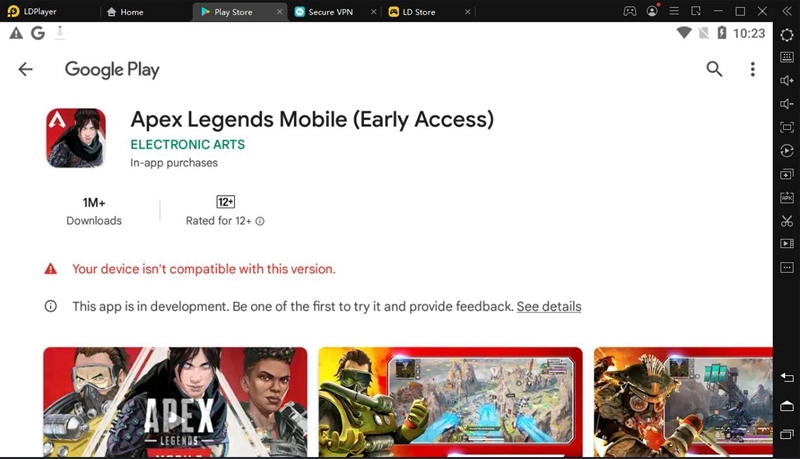
Anda dapat mencoba solusi berikut:
1. Konfirmasikan apakah itu emulator 4.0.78 64-bit, versi lama atau emulator 32-bit tidak akan berfungsi.
Unduh versi ini :Versi 4.0.78(32) ,atau versi yang lebih baru:Versi 32-bit
2. Coba buat emulator baru.
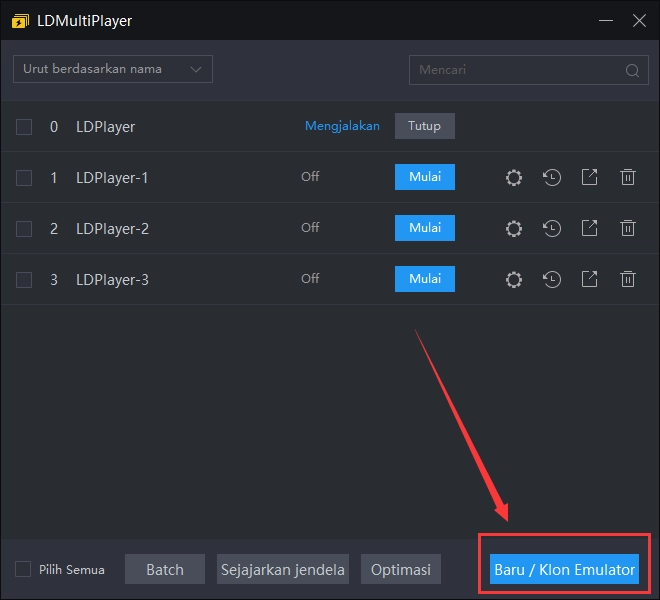
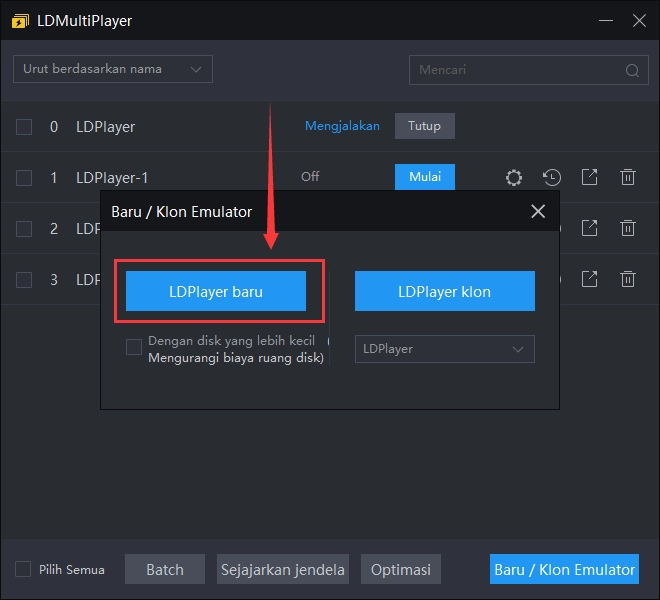
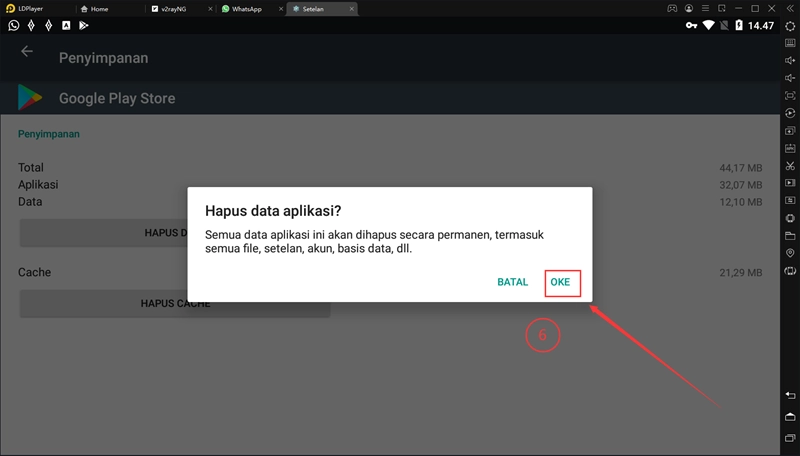
3. Tutup Google Play Store, ikuti langkah-langkah di bawah ini untuk menghapus data Google Play Store dan kemudian buka kembali Google Play Store untuk mengunduh game.
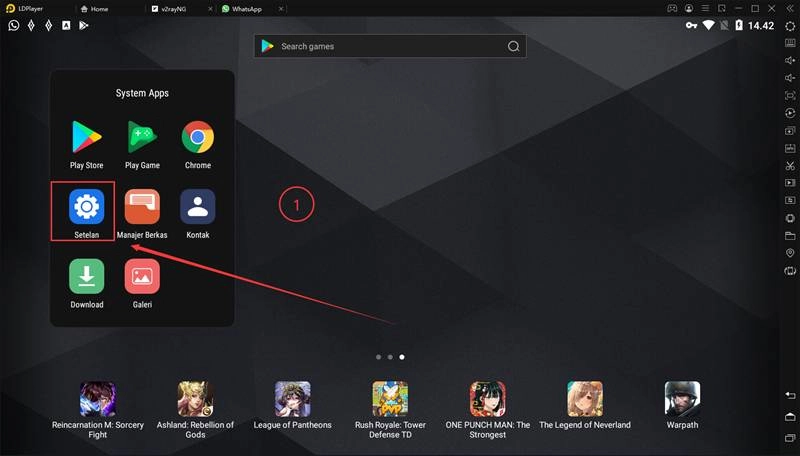
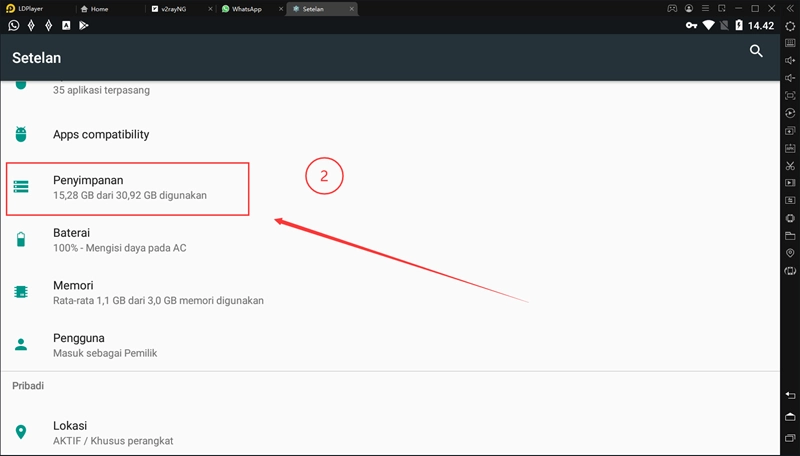
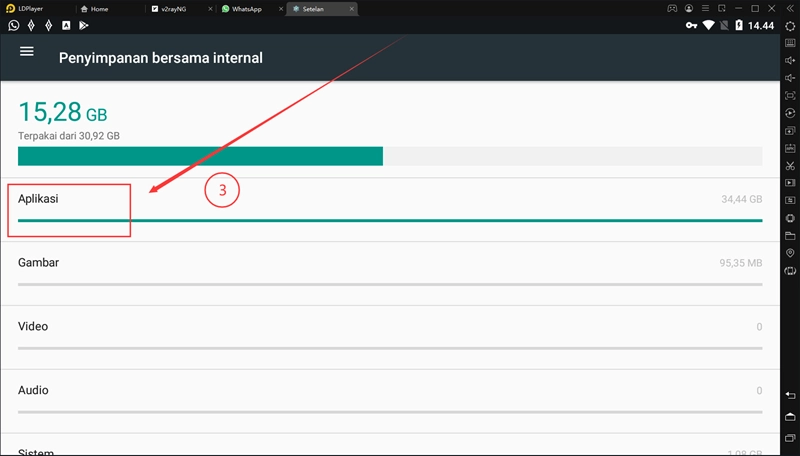
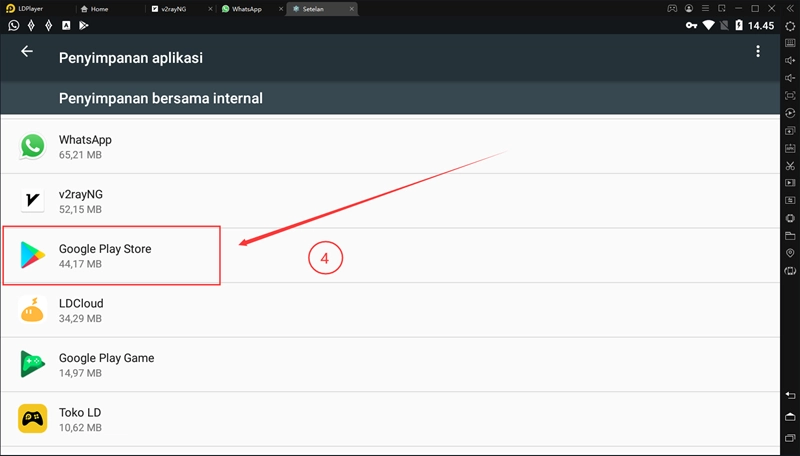
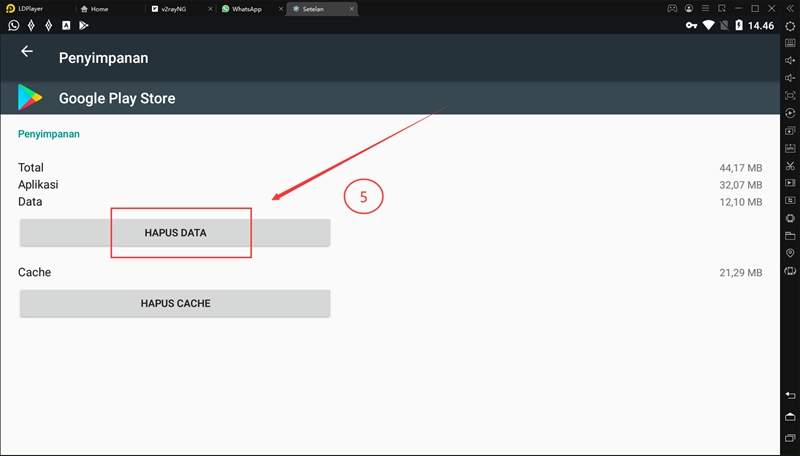
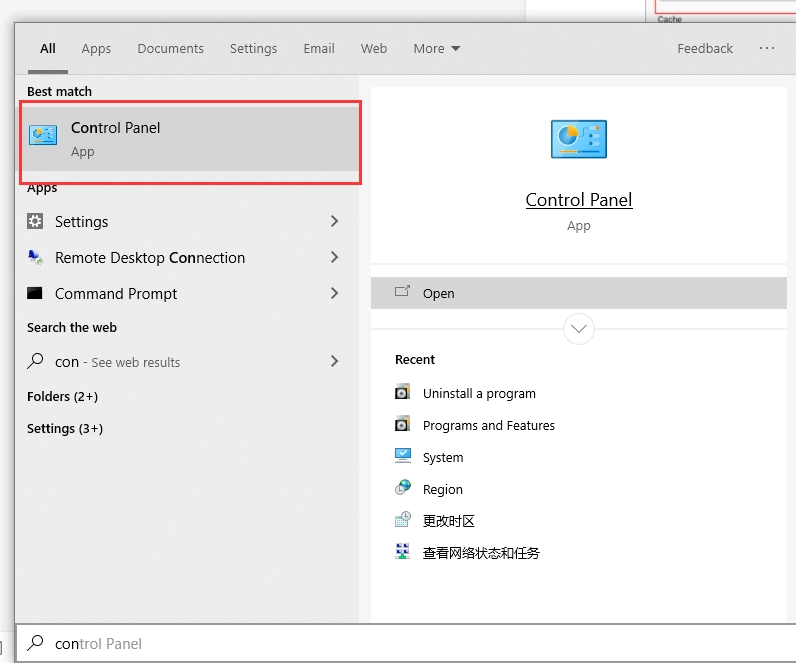
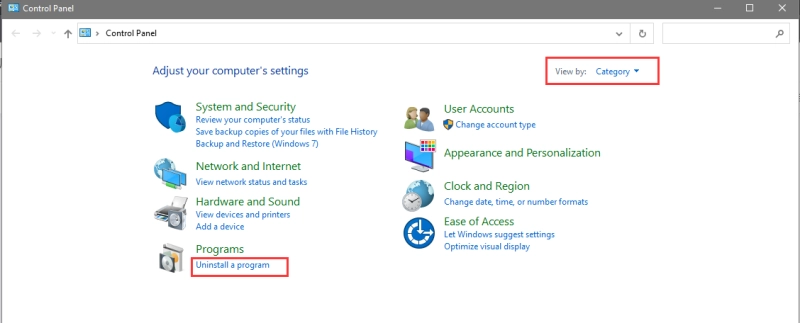
4. Coba hapus instalan sepenuhnya lalu instal ulang




![[Strategi] Loba di Apex Legends Mobile: 6 Tips Advanced & Rekomendasi Tim](https://res.ldrescdn.com/ldstore/r86hjp-1656561560824.jpg?x-oss-process=image/format,webp/quality,Q_100/resize,w_640)
![[Strategi] Apex Legends Mobile: Kalian Harus Tahu Hal Ini dari Karakter Apex Legends Terbaru, Loba!](https://res.ldrescdn.com/ldstore/fwfJr6-1655542552851.jpg?x-oss-process=image/format,webp/quality,Q_100/resize,w_640)
![[Strategi] Apex Legends Mobile: Ketahui Ini Dahulu Sebelum Memainkan Legends Terbaru, Fade!](https://res.ldrescdn.com/ldstore/rGrMc6-1653333696765.jpg?x-oss-process=image/format,webp/quality,Q_100/resize,w_640)
![[Berita Game] Apex Legends Mobile: Telah Kembali! Intip Hal Baru Pada Apex Legends Mobile Global Launch!](https://res.ldrescdn.com/ldstore/NGDya8-1652823296890.jpg?x-oss-process=image/format,webp/quality,Q_100/resize,w_640)
![[Strategi] Tips Menggunakan Wraith di Apex Legends Mobile](https://res.ldrescdn.com/ldstore/diG2tX-1648757630868.jpg?x-oss-process=image/format,webp/quality,Q_100/resize,w_640)